Plan a feature with Luke
The Plans tab holds named feature plans, each on a fixed template written for
a coding agent to pick up. Start a planning call and Luke asks one question at
a time while a notetaker writes the plan as you talk, streaming each draft to
your Mac. Point a plan at a folder on your Mac and Luke reads the code there to
answer his own questions instead of asking you; each command runs in a sandbox
with no network, no writes, and no .env files. He can also search the web and
read public pages, and with GitHub connected he reads your repositories.
(#1730,
#1734,
#1739,
#1745,
#1749,
#1750,
#1755,
#1760,
#1776,
#1777,
#1779)
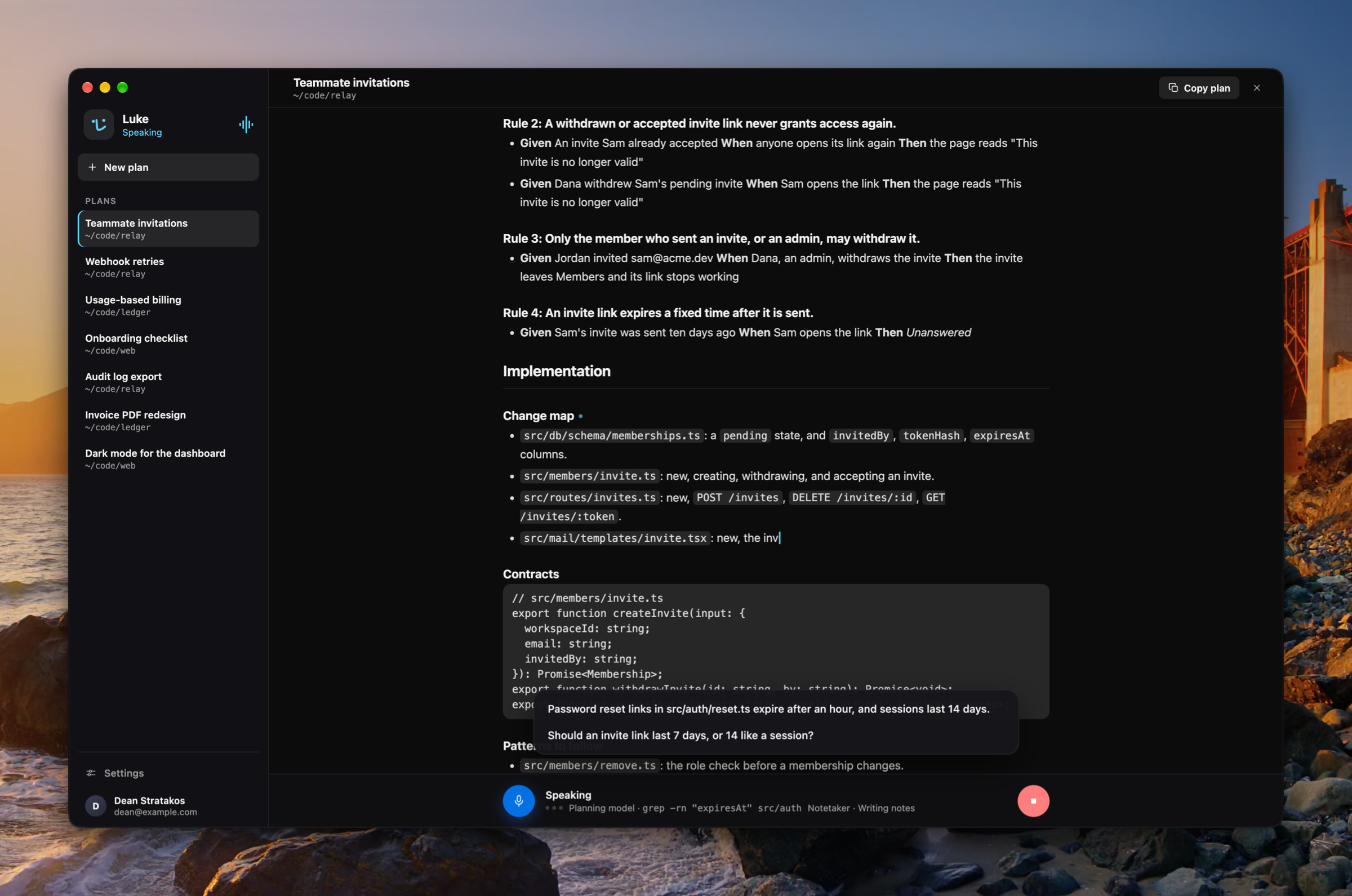
Luke opens as a Mac app
Luke opens in an ordinary window with a Dock tile instead of the notch panel, on two tabs: Plans and Settings. For now Luke speaks only on a planning call, so briefings, the launch greeting, and the talk key outside a plan are off, onboarding is skipped after sign-in, and the Sessions and Conversation tabs are hidden. (#1743, #1755, #1775, #1782)
Improvements
- Luke runs on GPT-6.1 Sol (#1772)
- A planning call survives a dropped connection instead of ending (#1755, #1756, #1758)
Fixes
- Fixed a planning call's plan losing sections it had already written, leaving them Unanswered (#1780)
- Fixed the settings search drawing under a nested page's header (#1644)